Set and Change Your Voicemail Greeting
You can set or change your own voicemail greeting or voicemail recordings in the TeleGo Customer Portal. If you're an Owner, Admin, or Manager you can change or update other users' voicemail greetings.
How to change your voicemail greeting:
- Login to your account at portal.telego.com
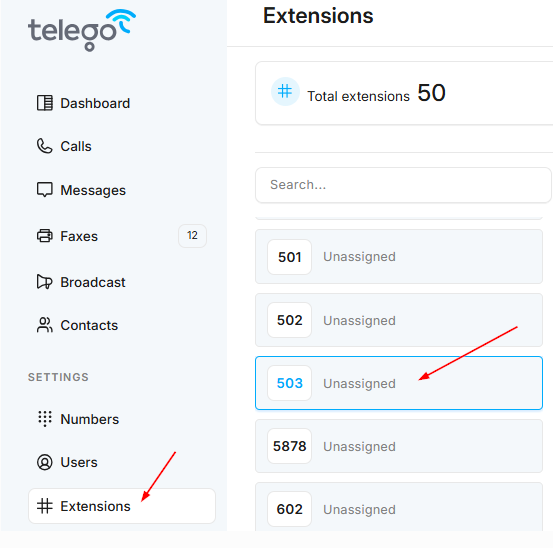
- Click Extension (under Settings) from the menu on the left and select your extension, or the extension that you'd like to edit.
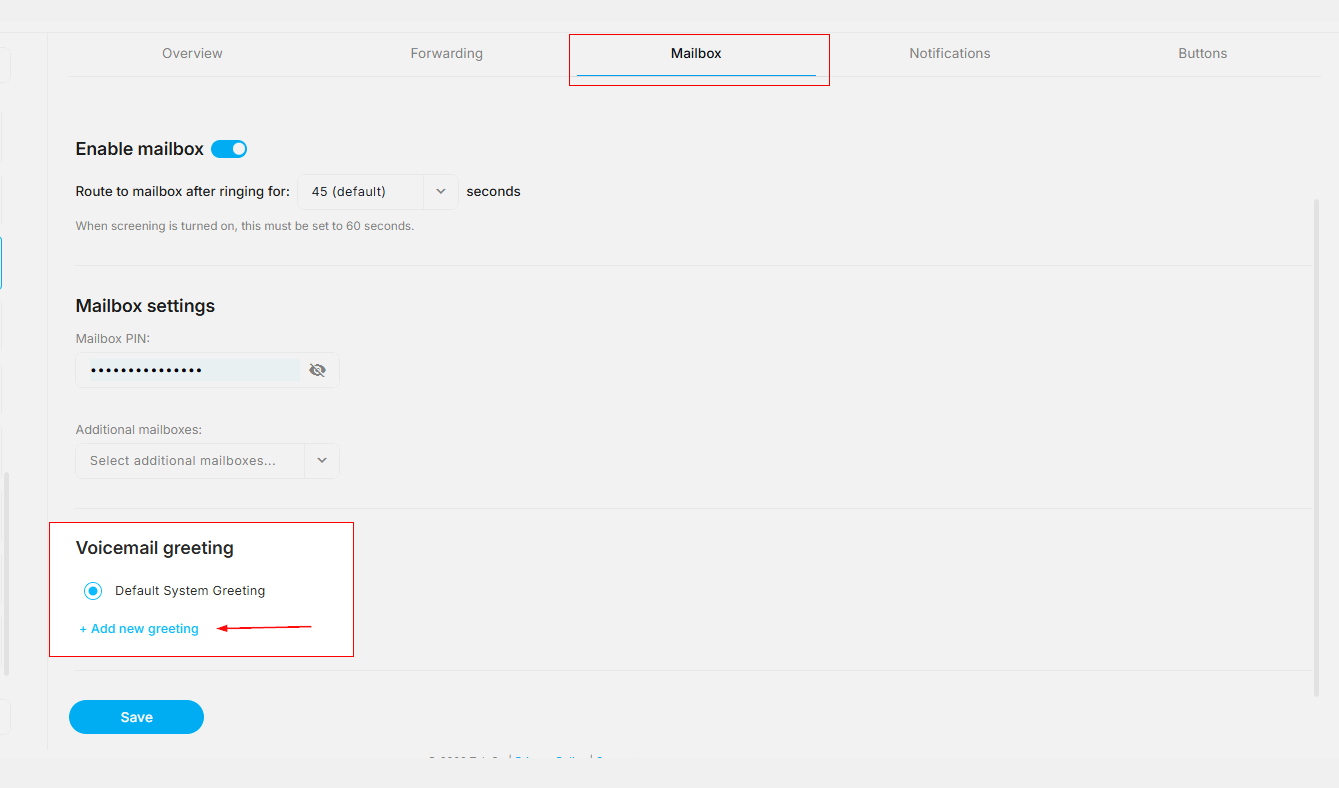
- Click the Mailbox tab, scroll to the Voicemail greetings section of the page. Then click the blue +Add new greeting text.
- There will be a popup titled Add New Greeting. From here, select your Greeting type from the dropdown menu.
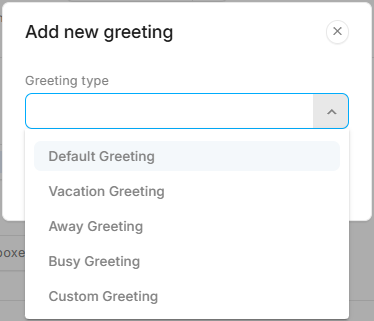
- After selecting your greeting type, select one of the two options:
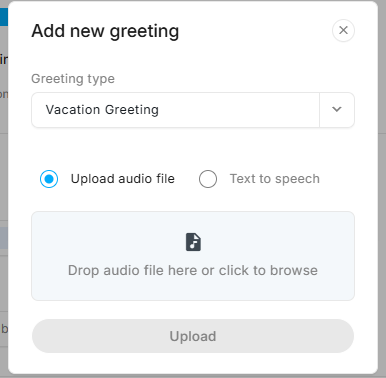
- Upload an audio file
-
Either drag an audio file to the "Drop audio file here" box or click the box to browse your PC for the file and select it. Then click the upload button.
-
- Create a greeting using our text to speech feature
-
Select your Language, select your Voice, and type in the Text for your greeting. Next, click the Generate button to preview the greeting you created.
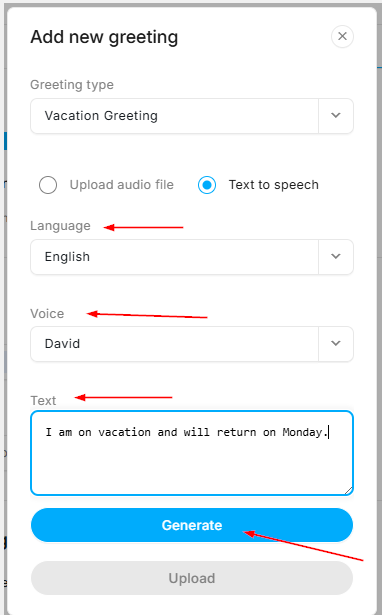
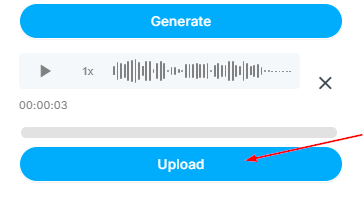
After you click Generate, you can choose to make changes and generate the file again, or upload your text to speech audio file.
-
- Upload an audio file
-
Once you click upload, you should see the "Greeting uploaded successfully" message the top of your page.

-
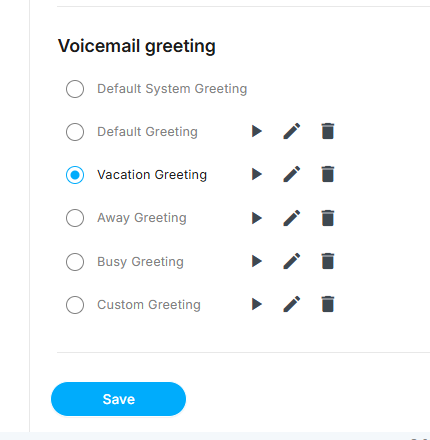
One your voicemail greeting is set, you can listen to, edit or delete it directly from the Extension settings.
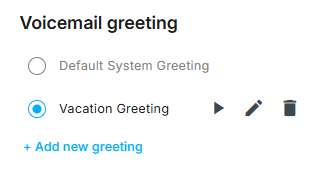
You can create and save a greeting for each type. Once your voicemail greeting settings are updated, click the Save button at the bottom if the page