
Efax on Customer Portal
Hello Telego Customer In order to make your efax work for your company you need to first create users on the portal.telego.com
On portal.telego.com, if you log in, you can see the numbers option on the left side, where you can sort by number type to get 3 fax numbers on top of the list.

Once you click on the fax number, it will tell you which user is assigned to that fax
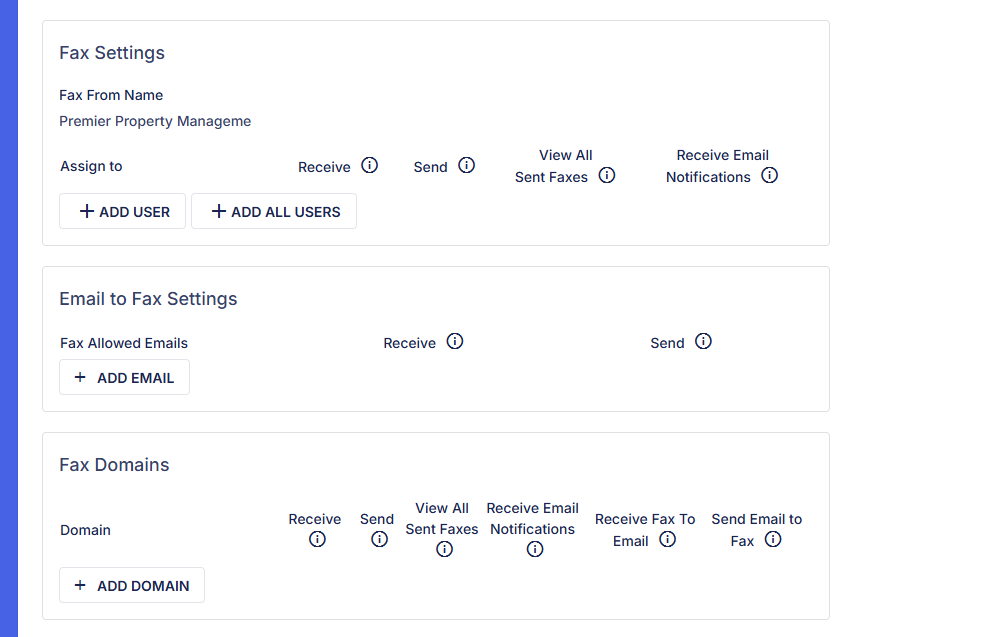
Fax settings—This is where you add people that you want to have access to this fax number. And if you want them to see all faxes, send/receive or just one or the other.
Email to Fax settings: You add emails of the people that you want to receive faxes by email. I would not advise sending faxes by email, as it's a detailed process, and any little error in grammar would prevent emails from going out.
Fax Domain—You can add your email domain in there so that everyone in the organization can have access to getting faxes by email.